
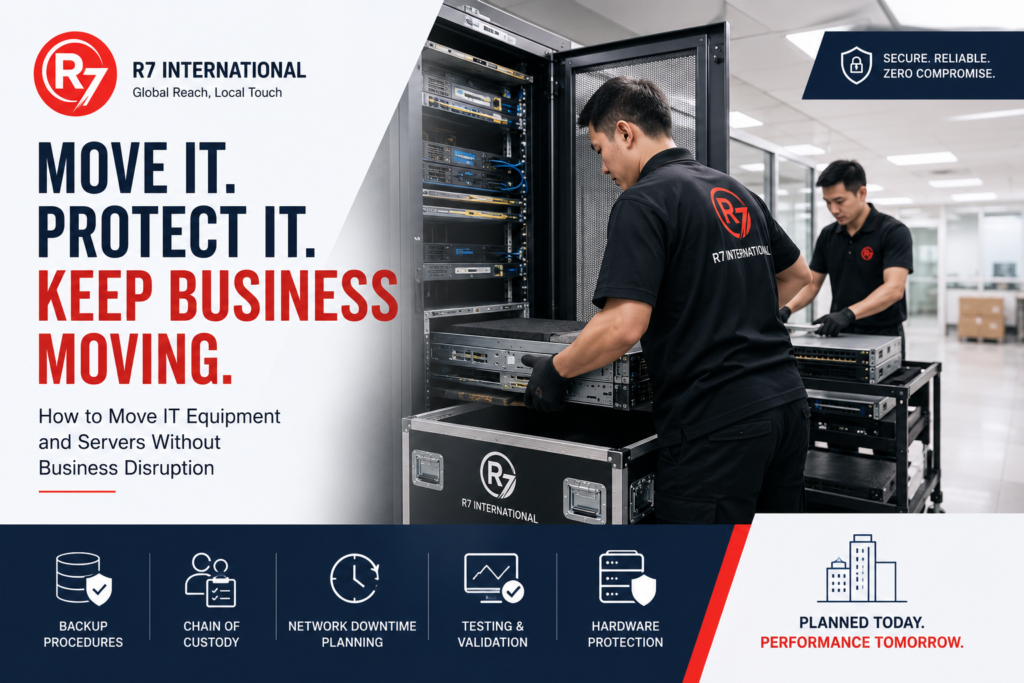
How to Move IT Equipment and Server relocation During an Office Relocation Without Business Disruption
For many businesses, relocating an office is about far more than moving desks, chairs, and meeting room furniture. The most critical component of any workplace relocation is often the company’s technology infrastructure.
Server relocation, networking equipment, storage devices, workstations, and communication systems are the backbone of modern operations. A poorly planned server relocation can result in extended downtime, data loss, productivity issues, and significant financial consequences.
Whether you are relocating a small office, a regional headquarters, or an entire data centre, careful planning is essential to ensure business continuity throughout the move.
This guide outlines the key considerations for a successful server relocation and office IT moving project.
Why IT Relocation Requires Special Planning
Unlike furniture or general office equipment, IT infrastructure contains business-critical data and systems that many organizations rely on every minute of the day.
Challenges often include:
- Minimizing operational downtime
- Protecting sensitive data
- Maintaining equipment integrity
- Coordinating multiple stakeholders
- Ensuring network readiness at the new location
- Managing complex dependencies between systems
A successful office IT moving project requires close collaboration between relocation providers, IT teams, facilities management, and external vendors.
Step 1: Conduct a Complete IT Infrastructure Audit
Before any equipment is disconnected, organizations should create a detailed inventory of all technology assets.
This should include:
- Physical servers
- Network switches
- Firewalls
- Routers
- Storage devices
- Workstations
- Printers
- Telecommunications equipment
- UPS systems
- Audio-visual systems
Documenting equipment locations, configurations, serial numbers, and network connections helps prevent confusion during reinstallation.
Step 2: Establish a Data Backup Strategy
Data protection should be the highest priority during any server relocation project.
Before equipment is moved:
- Perform full system backups
- Verify backup integrity
- Create offsite backup copies
- Test recovery procedures
- Document recovery time objectives (RTOs)
Businesses should never assume that physical equipment will arrive without incident. Having verified backups ensures continuity even in worst-case scenarios.
Step 3: Develop a Chain of Custody Process
For organizations handling sensitive information, maintaining a documented chain of custody is critical.
This process should record:
- Equipment ownership
- Handling personnel
- Collection times
- Transportation details
- Delivery confirmation
- Installation verification
A clear chain of custody provides accountability and reduces risks associated with data security and compliance.
Step 4: Plan Network and Connectivity Requirements
Many relocation projects encounter delays because network infrastructure is not fully operational at the new site.
Prior to the move:
- Confirm internet connectivity installation
- Test network cabling
- Verify power requirements
- Coordinate telecommunications providers
- Confirm wireless network readiness
Ideally, all network infrastructure should be tested before IT equipment arrives.
Step 5: Use Specialist Packing and Protection Methods
Technology equipment is highly sensitive to shock, vibration, dust, and moisture.
Professional server relocation providers typically use:
- Anti-static packaging
- Custom protective crating
- Shock-resistant transport systems
- Equipment labelling systems
- Secure transportation vehicles
These measures significantly reduce the risk of hardware damage during transit.
Step 6: Schedule Downtime Strategically
One of the most effective ways to minimise disruption is to perform relocation activities during periods of low business activity.
Common relocation windows include:
- Weekends
- Public holidays
- Overnight shifts
- Planned maintenance periods
Businesses should communicate downtime schedules well in advance to employees, customers, and key stakeholders.
Step 7: Test Systems Before Going Live
A successful server relocation does not end when equipment is installed.
Before resuming operations:
- Verify server functionality
- Test network performance
- Confirm application accessibility
- Validate user permissions
- Check telecommunications systems
- Conduct security reviews
Testing helps identify issues before they impact business operations.
Common Risks During Server Relocation
Organizations often underestimate the complexity of moving technology infrastructure.
Common challenges include:
Data Loss
Inadequate backup procedures can expose organizations to significant risk.
Hardware Damage
Improper handling can damage sensitive equipment.
Extended Downtime
Poor planning frequently results in delays during setup and testing.
Security Breaches
Uncontrolled access during transportation can create compliance concerns.
Connectivity Issues
Network readiness is one of the most common causes of post-move disruptions.
Server Relocation Checklist
Before moving day:
✓ Complete asset inventory
✓ Perform full backups
✓ Verify recovery procedures
✓ Label all equipment
✓ Confirm network readiness
✓ Prepare chain of custody documentation
✓ Schedule downtime window
✓ Notify stakeholders
After relocation:
✓ Verify equipment arrival
✓ Test all systems
✓ Validate network performance
✓ Confirm user access
✓ Monitor system stability
✓ Complete project sign-off
Why Businesses Partner with Specialist IT Relocation Providers
Moving technology infrastructure requires expertise beyond standard office moving services.
Experienced relocation partners can assist with:
- Project planning
- Equipment handling
- Secure transportation
- Asset tracking
- Data centre relocation support
- Business continuity planning
This reduces operational risks while helping organizations maintain productivity throughout the relocation process.
Final Thoughts
A successful server relocation is built on planning, preparation, and risk management. By focusing on data protection, chain of custody, hardware security, network readiness, and comprehensive testing, organizations can significantly reduce downtime and protect critical business operations.
Whether relocating a regional office, corporate headquarters, or data centre environment, engaging experienced relocation professionals can make the difference between a seamless transition and a costly disruption.
R7 International supports workplace relocation projects across Malaysia, Singapore, Thailand, Vietnam, and Indonesia, helping businesses move critical equipment, technology infrastructure, and office environments safely and efficiently.
For assistance with office IT moving, server relocation, or workplace relocation projects across Southeast Asia, contact R7 International at info@r7intl.com.